

HadirKu
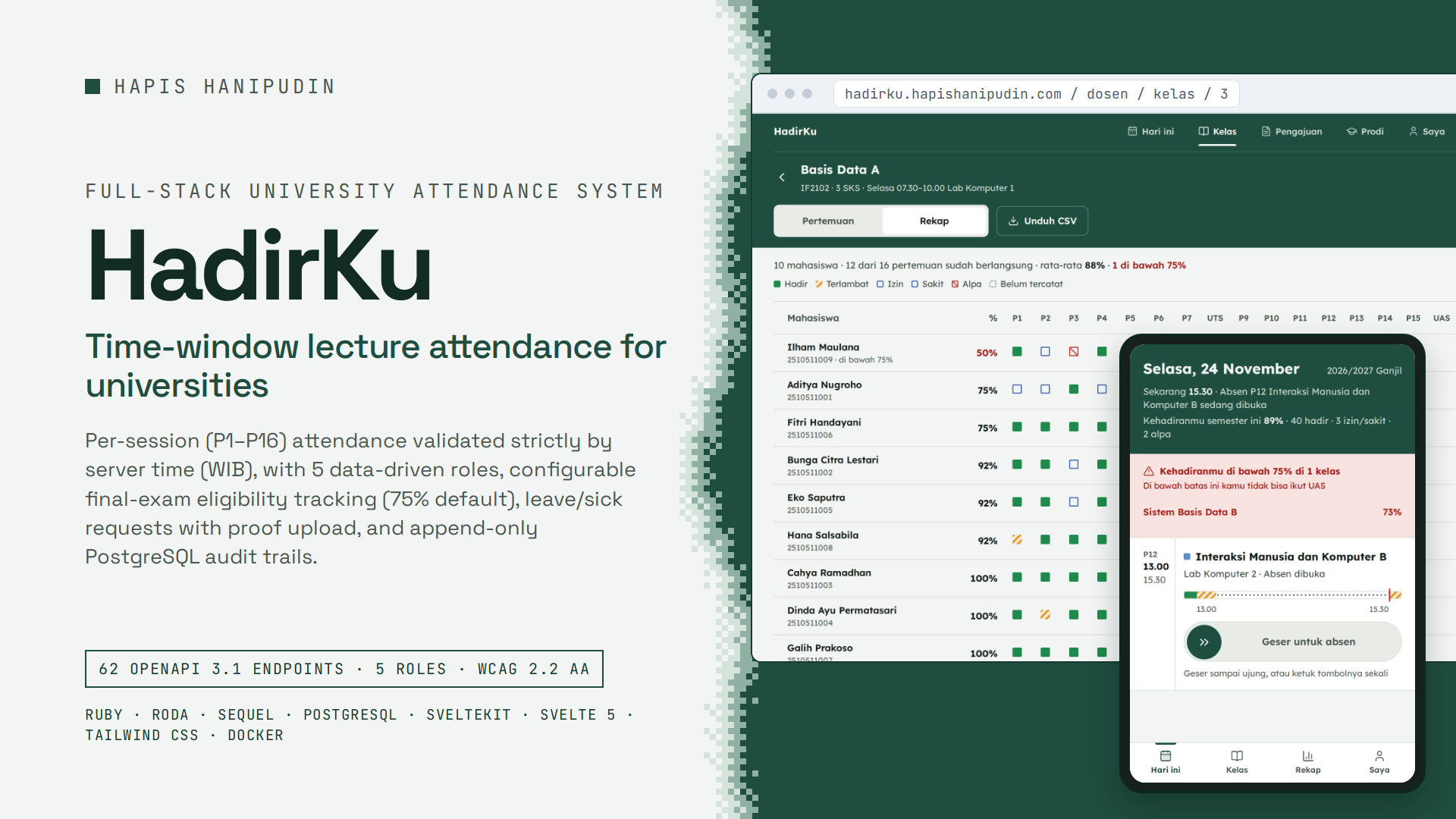
Time-window lecture attendance system for universities.
My role
Solo full-stack developer: domain rules, Ruby/Roda API, PostgreSQL schema & audit triggers, SvelteKit UI, and Docker/Dokploy CI/CD.
Technologies
Problem
Manual university attendance is easy to game, slow to reconcile across 16 sessions, and leaves students and academic advisors guessing who is falling below the final-exam eligibility threshold.
Decisions
- 1.Centralised attendance-window rules (T-10..T on time, T..T+15 and E..E+10 late, auto-absent past E+10 via a 5-minute background scheduler) validated strictly by server time (WIB).
- 2.Five data-driven roles computed per request in AccessScope (student, lecturer, academic advisor, program coordinator, academic admin) with cross-program 403/404 isolation.
- 3.Three append-only PostgreSQL audit tables enforced by database triggers for attendance corrections, meeting changes, and lecturer role changes.
- 4.WCAG 2.2 AA UI encoding every status with shape + text, backed by 15 database-free Minitest suites and automated GitHub Actions → GHCR → Dokploy deployment.
Outcome
62 OpenAPI 3.1 endpoints across 5 roles, 35 reversible migrations, 15 unit test suites, and a 5-service Docker deployment live on Dokploy.
Write-up
HadirKu is a full-stack university lecture attendance system covering sessions P1–P16 (including midterms and finals). Attendance is validated strictly against server time (WIB) with configurable final-exam eligibility thresholds (75% default), cancelled and makeup session tracking, and leave/sick requests with document uploads. Access across five roles—student, lecturer, academic advisor, program coordinator, and academic admin—is derived directly from relational data on each request via AccessScope. The Ruby 3.4/Roda/Sequel backend exposes 62 OpenAPI 3.1 endpoints backed by PostgreSQL 18 with three trigger-protected append-only audit tables, paired with a SvelteKit 2 / Svelte 5 / Tailwind v4 frontend built to WCAG 2.2 AA. One-click demo accounts for each role are available directly on the live login page.